I’ve continue to keep one foot in the MS Windows world and the other in the Apple OS X world for several years. At home I primarily use Macs though I also had a Windows server and I still use a VM to run some Windows-only software. At work I was using OS X as my primary system though I recently switched to a Windows 7 system (note that I still use Macs for other purposes). Even when I used a Mac at work as my primary system I still used several Windows VMs.
Since moving to a Windows system as my main work computer I’ve found a few small ways to continuing using some of the features of OS X that I really like. One of those features is the ability to scroll content in a window that doesn’t have focus.
For those of you not familiar with this capability, it allows one to move a mouse cursor over a window that doesn’t have focus but does have content that can be scrolled. Instead of clicking to give the window focus in OS X I could simply scroll the content using the mouse wheel (or the multi-touch features of a Magic Mouse or trackpad). It may not seem like a big deal but it actually saves a little bit of time and effort over the course of a day when working across multiple monitors. I quickly realized that lacking this feature subtly disrupted my efficiency.
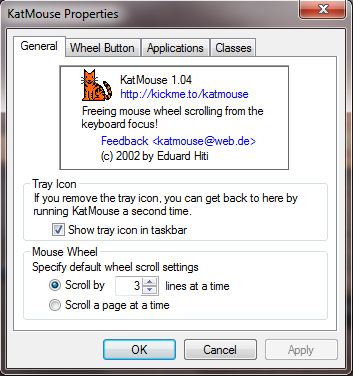
Fortunately, I was able to find a free utility that adds this feature to Windows. It’s named KatMouse and is managed by Eduard Hiti. I encourage anyone that finds this tool useful to donate to the author.

 Press Any Key
Leave a comment