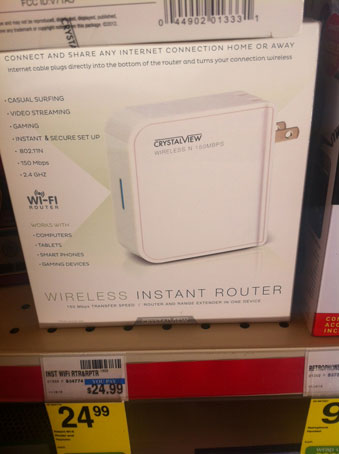
The Short Version: I only purchased this to extend an existing network. Once I figured out that it could only setup a new wifi network by using the original one as an Internet connection I ditched it. I had no interest in setting up multiple wifi networks just to extend my range. I probably could have configured the device to successfully setup another wifi network, but since that wasn’t why I purchased it I didn’t bother tweaking it any further. For more information about setting this device up you might find the many comments more useful.
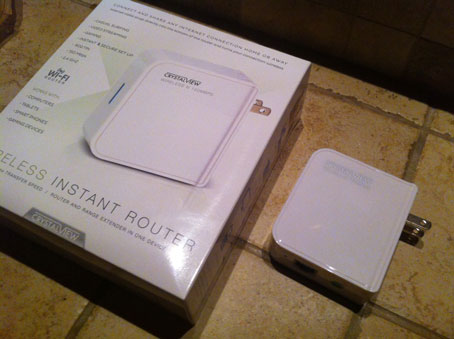
I came across a very cheap wireless router at the local CVS (CrystalView Wireless Instant Router and Repeater). Now, I’m not in need of a router but what caught my attention was that it also claimed to have a repeater mode. It was marked at $25 and I thought it might serve as a good alternative to other wireless extender options. I didn’t need anything fancy but I wanted to increase the wireless coverage in part of our home.
After tinkering with it I found that it doesn’t work the way I expected. Technically, I don’t think it’s appropriate to call this device a repeater. As far as I can tell it doesn’t repeat a wireless network. In my mind this should mean that the wireless configuration is the same and that all devices appear to be on the same network. It does not seem to be capable of extending an existing wireless network.
It can connect to an existing wireless network but it treats it as the WAN connection. In this case you won’t be able to receive DHCP from the existing network or connect to other devices.
I don’t know if it works well as the primary router. I didn’t test that aspect. I only tried the repeater mode. It’s possible that there’s some quirk of the configuration that I overlooked but I do not think this is the case (this isn’t the first time I’ve bridged or extended wireless networks). I couldn’t get the Internet to work in that mode even though it was connected to my other wireless access point though I didn’t spend all evening trying to make it work that way. I was trying to extend my network.
The manual that comes with it isn’t great but it does cover most of the functions. The router comes pre-configured with a single wireless network that is secured. Oddly enough, the manual didn’t mention anything about the password for the default wireless network. However, the default wireless network password is printed directly on the device itself.
Is this even worth $25? Probably if you’re in a tight spot and can’t (or don’t want to) spend more money on a name brand device, assuming that it lasts. Would I replace an existing Linksys, Netgear, Asus, or Apple router with this device? No.
If you want an inexpensive wireless router with LAN ports that has most of the functions you would expect from a name brand router then an ASUS router might work well.
Note that all client connections are wireless. It only has one ethernet port and that’s reserved for the WAN connection (cable mode, DSL modem, etc).
I’m going to sell this to a friend at a discount. He’ll use it as an actual router and hopefully he won’t have any problems since he’s not trying to use it the same way that I did.
Updated 12/4/2012: I still hold to my statements regarding the device’s apparent inability to actually repeat an existing wifi network. However, I thought it would be worth mentioning that the friend that took the one I purchased has been using it only as a wireless router without problems for about a week.



 Press Any Key
Leave a reply to A piercy Cancel reply