Occasionally, in the process of setting up a new piece of equipment, I’ll tinker with configuration options if I can’t get something to work right. Later on I may forget the extra steps I made, which can be a problem when I write in a post that I have a piece of software working with a certain piece of hardware but completely forget that it didn’t work out-of-the-box.
This post has some information about setting up Vitamin D Video to work with a Foscam FI8918W. Currently, Vitamin D Video does not officially support this Foscam model. That may change – I submitted some information to Vitamin D Video this evening which might help them add official support.
There’s no hacks or magic involved. In fact, the solution is very simple. The FI8918W is seemingly very similar to the FI8904W. So, when I added the camera to Vitamin D Video, I just picked the older model.
Here are a few notes about my camera, though I don’t think they played much of a role in resolving this problem. I’ve only used the camera wired, it has static network settings, and the only user name is still admin. The camera doesn’t seem to like other user names, at least not if the admin account is removed. When I changed it I couldn’t access the camera and had to reset it.
Here are screenshots of my camera configuration in the Windows version. The Mac version probably isn’t any different. I’ve blurred out the static IP and password fields, but obviously you’d need to enter your own information anyway.
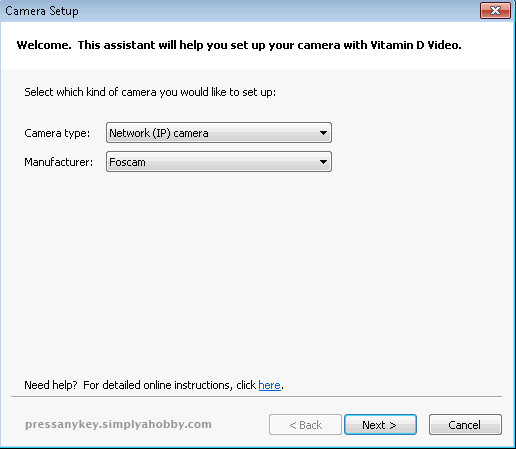

And that’s basically all I had to do to get it working. Using the rule editor I have it setup to record video and send me photos via e-mail if certain triggers occur.



 Press Any Key
Leave a reply to Marvin Cancel reply